
Alexander
Last Update today
Short answer: yes — you can now change the duration of any 1:1 lesson package you’ve bought without canceling and rebuying. The new duration applies to every remaining lesson in that package. If it costs more, you pay the difference on a standard checkout screen. If it costs less, the difference is refunded to your wallet.
Step 1 — Open the change-duration screen
Go to your Scheduled Lessons page in the Dashboard. Find any lesson from the package you want to change and look at the row of action icons on the lesson card. The crosshair icon (second from the left in the screenshot below) opens the change-duration screen.
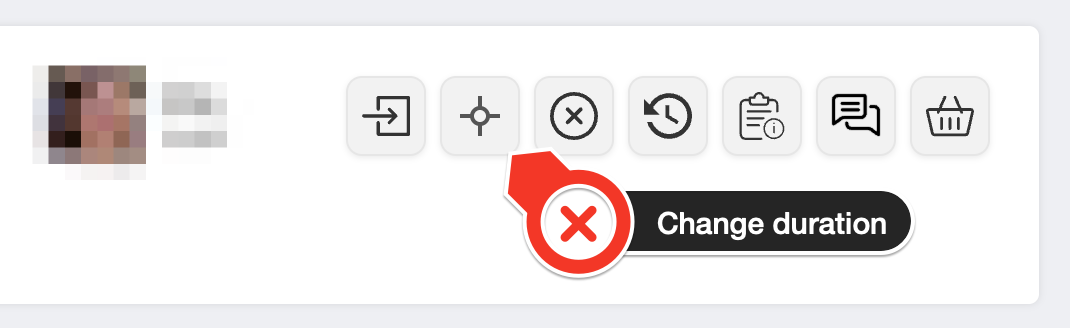
The button appears on every 1:1 lesson in the package — clicking it from any one of them affects the whole package.
Step 2 — Pick the new duration
You’ll see your current setup at the top and one card for each other duration your teacher offers at your package size. Each card shows the per-lesson rate, the new package total, and the price difference (charge or refund).
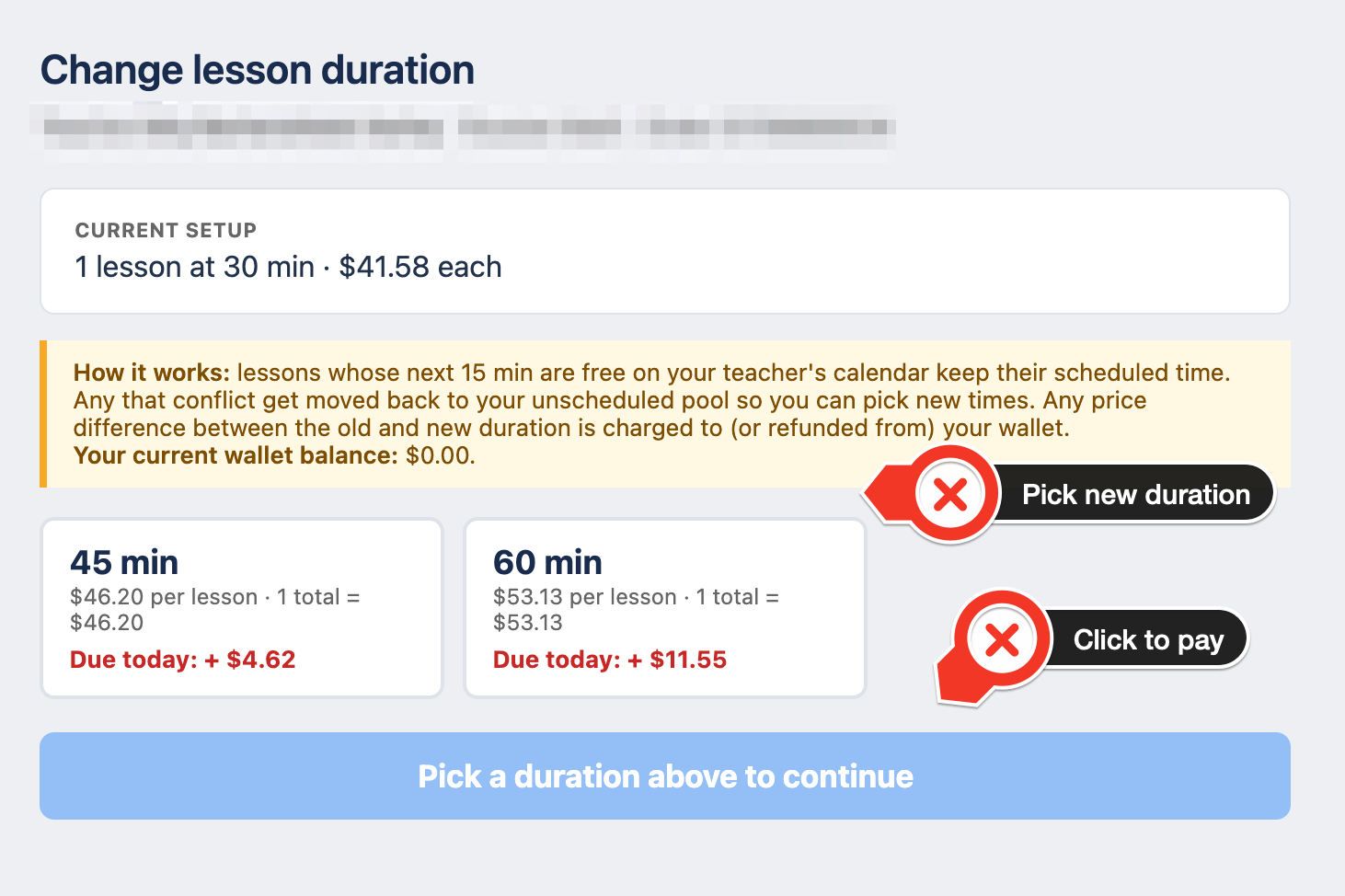
How pricing is calculated: the difference between what you originally paid and what the package would cost at the new duration. Package discounts you got originally are preserved — you’re paying the delta at your teacher’s package rate, not the regular per-lesson rate.
Step 3 — Pay the difference (if any)
If the change is a refund (shorter or cheaper lessons), the money lands in your wallet immediately — skip to the next section.
If the change costs more, you’ll be taken to a standard payment screen with the same three options you see on any purchase:
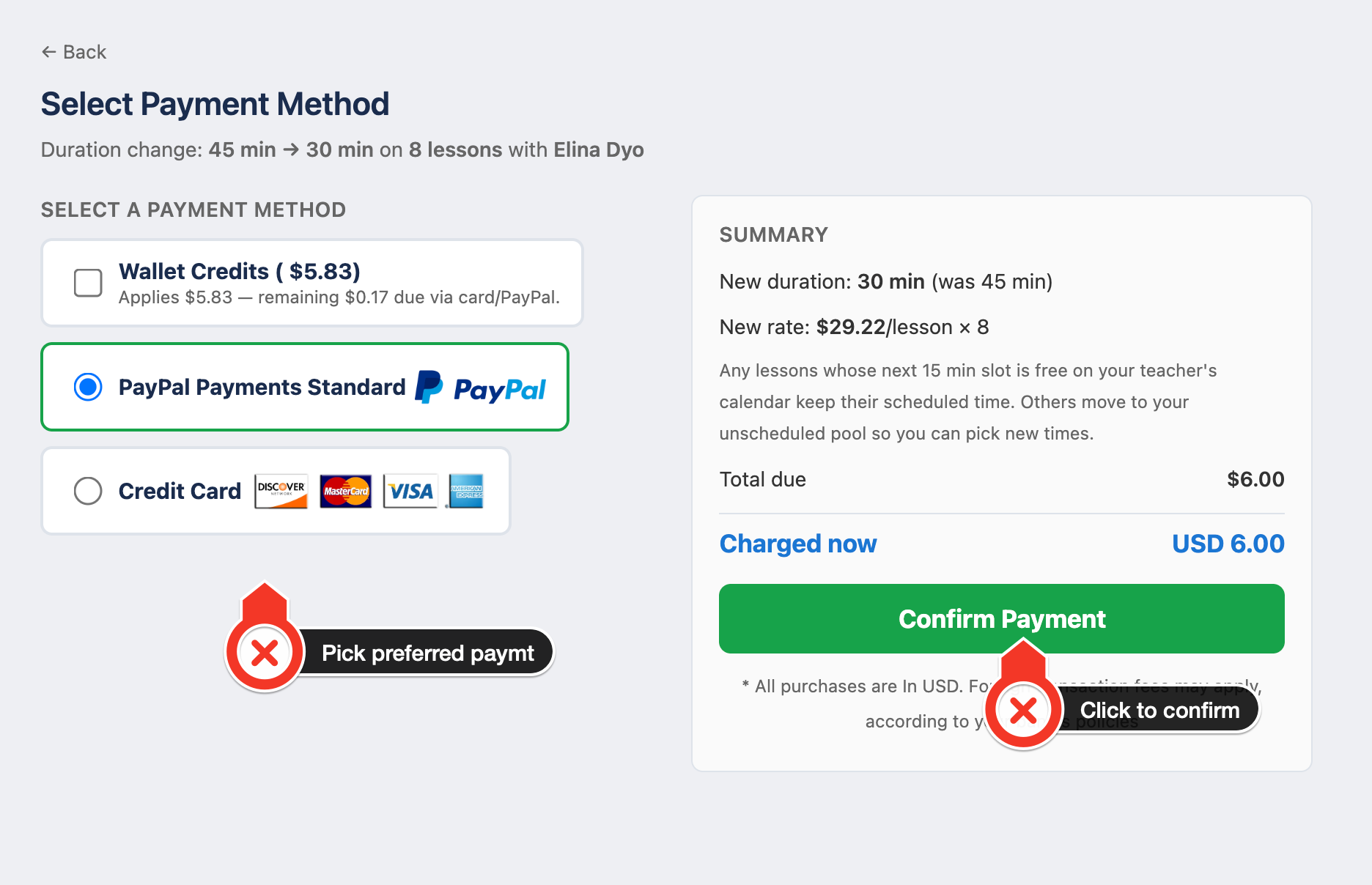
- Wallet Credits — ticks by default whenever you have any balance. Whatever’s in your wallet applies first; anything left is charged to your card / PayPal.
- PayPal — opens PayPal’s hosted checkout in a new window.
- Credit Card — Visa / MasterCard / Discover / Amex.
The right-hand summary panel updates live as you change the split so you always see exactly what will be charged now. The gateway we pre-select is whichever one you’ve used most in the past — you can switch to any other.
What happens to your already-scheduled lessons
- Lessons that fit at the new duration keep their scheduled time. If the next 15 min slot after your lesson’s current start time is free on your teacher’s calendar (which is what an extend needs), we shift only the end time. Nothing else changes — no new emails, no re-confirmation, no calendar move.
- Lessons whose new time slot conflicts get moved back to your unscheduled pool. You’ll see them in the Unscheduled tab so you can pick fresh times that work for both of you.
- Already-completed lessons stay as they were — the duration change only touches future / unscheduled lessons in the package.
When you won’t see the button
The change-duration button is hidden for lesson types where an in-place duration switch doesn’t apply:
- Trial lessons — free trials have a fixed slot length set by the teacher.
- Evaluation lessons — the initial in-person evaluation is a fixed short session.
- Bernal Learning Center lessons — in-person Bernal packages have their own scheduling rules.
- Group classes — class duration is set by the teacher and applies to every enrolled learner.
- Completed lessons — you can’t retroactively change the length of something that already happened.
Tips
- Message your teacher first if you’re about to extend lessons and your current time slots leave less than 15 minutes before their next lesson — that block will conflict, and lessons that conflict move back to your unscheduled pool. A quick heads-up can save the re-booking step.
- Wallet balance applies additively on the payment screen. If you have $5 wallet and the delta is $6, wallet covers $5 and the gateway charges $1 — you don’t have to choose one or the other.
- Refunds are wallet-only. If the new duration costs less, the difference goes to your wallet (not back to your card). You can spend that credit on any future purchase.
🤝 Need Additional Support?
Our comprehensive help documentation and support team are here to assist you.